|
<< Click to Display Table of Contents >> Variables Menu |
  
|
|
<< Click to Display Table of Contents >> Variables Menu |
|
The Variables menu is used to access and edit the Variables used throughout ProAct.
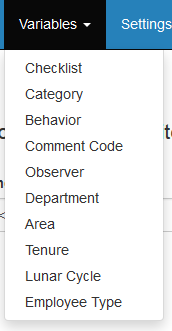
Depending on the mode and configuration there are multiple sub-menu options available from within the Variables menu:
You may also select one of the following menu buttons to display an alternative sub-menu: